Instructions for Receiving NFT
Please use the REDX Wallet to receive your NFT.(REDX Airdrops can only be claimed through the REDX Wallet.)
The following is the procedure for receiving your NFT using the REDX Wallet.
The following is the procedure for receiving your NFT using the REDX Wallet.
Note
- To receive NFTs, you will need a wallet that is compatible with the Polygon Network.
- REDX Project will not be responsible for any mistakes in entering the wallet address for receiving NFTs, or for not receiving NFTs if you enter a wallet that is not capable of receiving NFTs. Please prepare a wallet that can reliably receive NFTs.
- There have been reports of NFTs received via MetaMask not being displayed properly. Therefore, we do not recommend using MetaMask to receive your NFT. (Please note that this is only a display issue within MetaMask, and the NFTs remain securely stored on the blockchain.)
NFT Receiving Flow
- Install REDX Wallet on your smartphone
- Set up REDX Wallet
- Copy the wallet address for the Polygon network
- Enter the information in the NFT reception form and submit
- Confirm the receipt and display of your NFT
1. Install REDX Wallet on your smartphone
- Please use the link below to install REDX Wallet app on your iPhone or Android smartphone.
- For iPhone users, open the App Store, search for "REDX Wallet," tap the "Get" button, and complete the download and installation.
- For Android users, open the Google Play Store, search for "REDX Wallet," tap the "Install" button, and complete the download and installation.


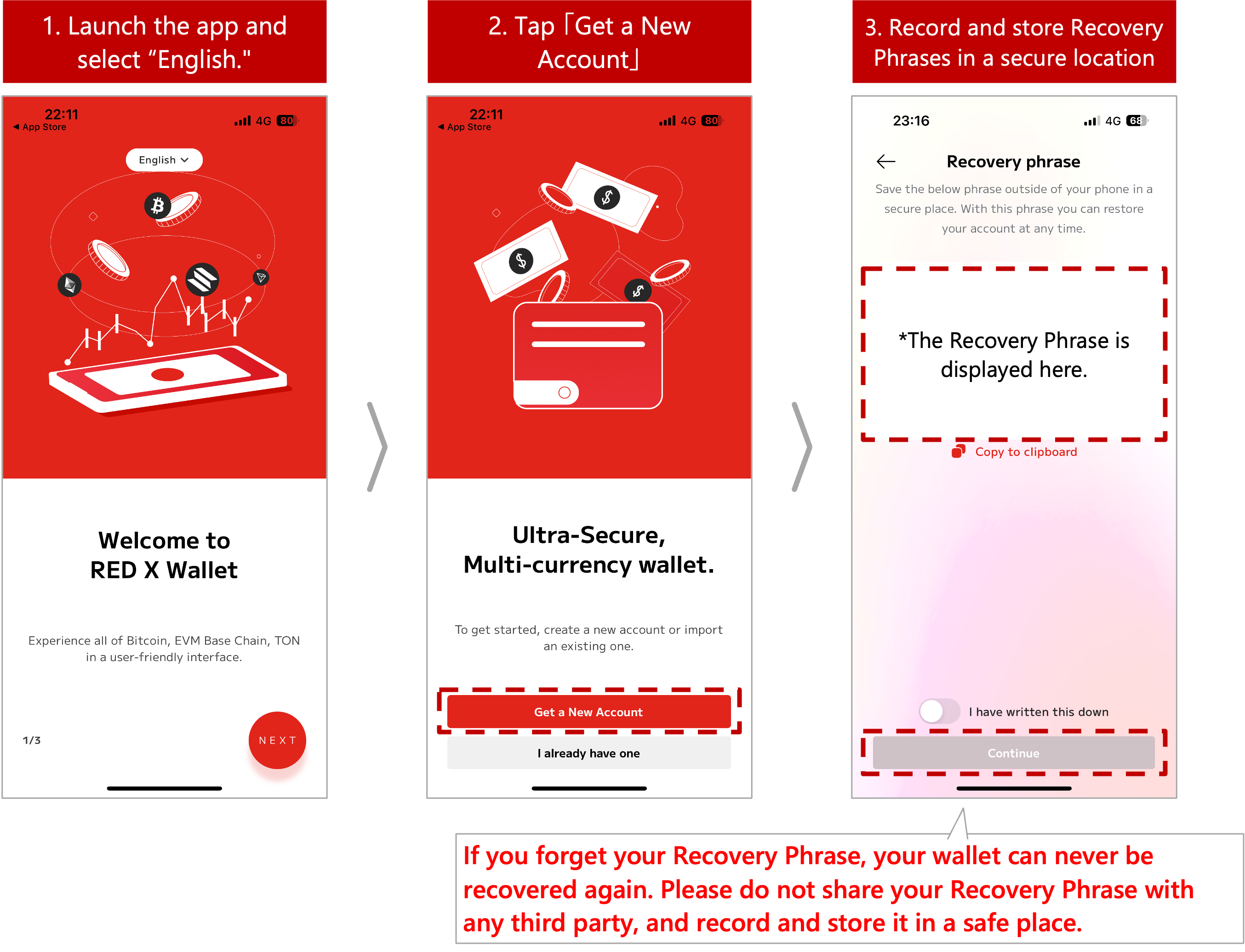
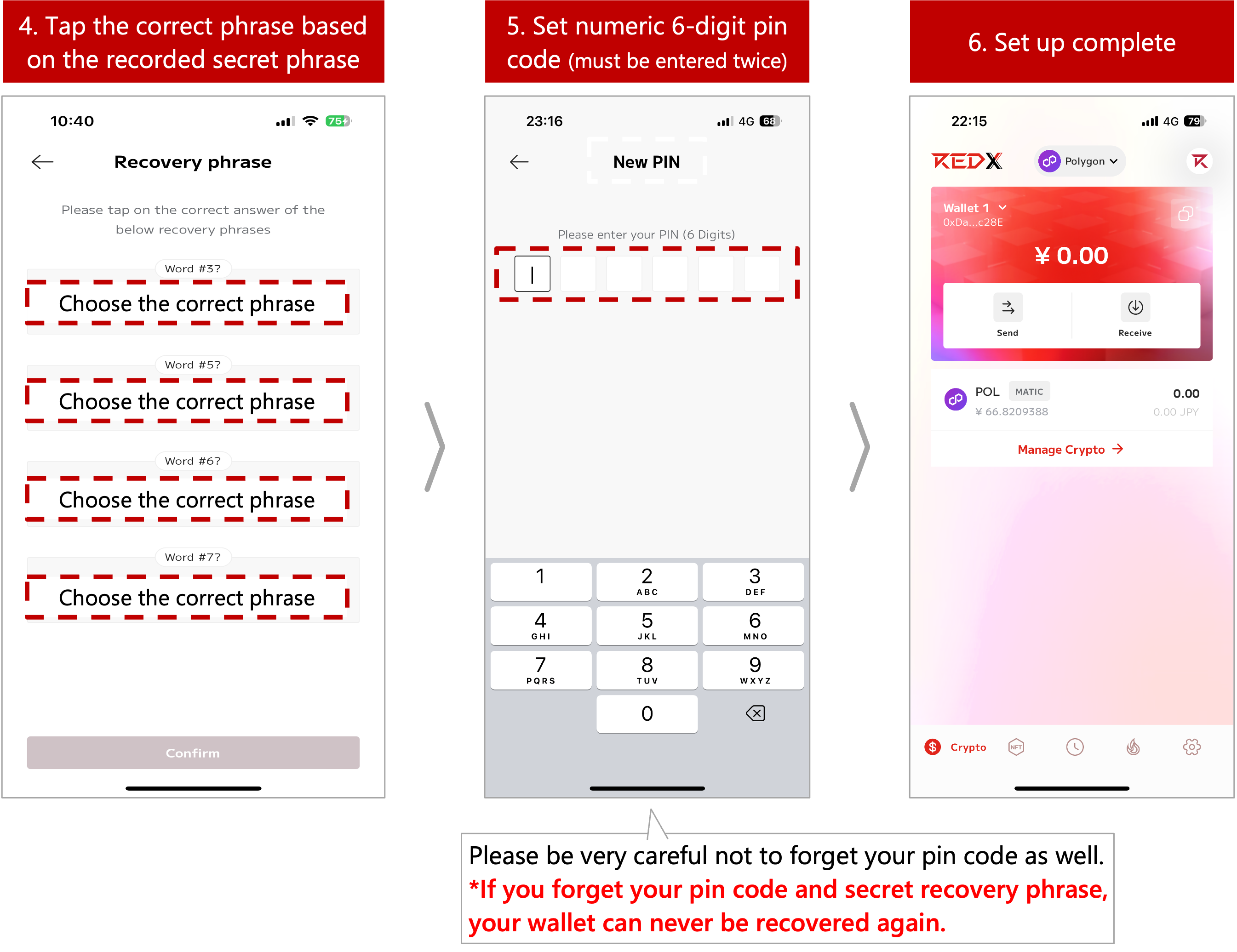
2. Set up REDX Wallet
- Please follow the steps below to set up your REDX Wallet.
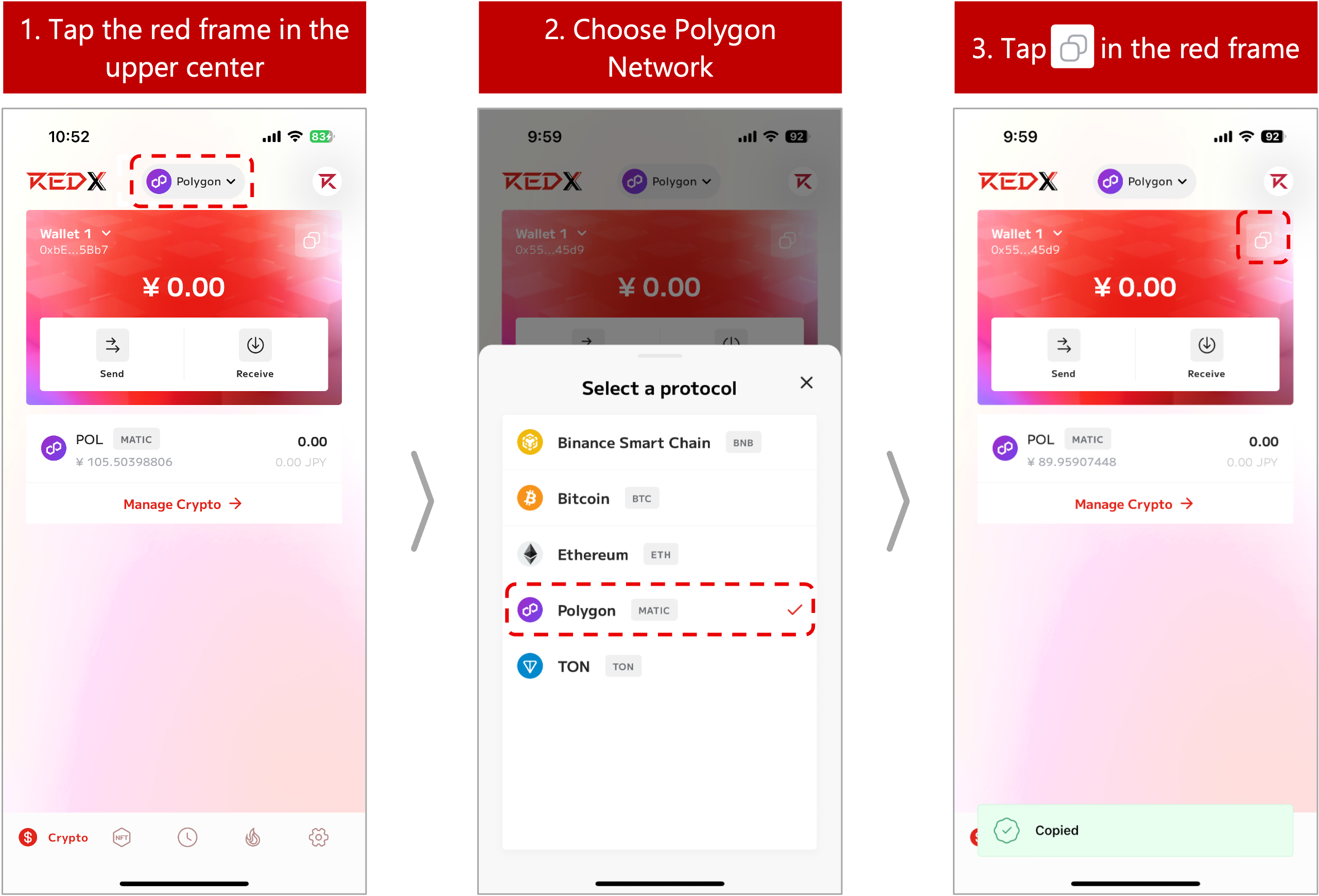
3. Copy the wallet address for the Polygon network
- Follow the steps below to copy the wallet address for the Polygon network.
4. Fill out and submit the NFT Receiving Information Submission Form
- Please fill in the NFT receipt information submission form provided via email with your application ID, purchase amount, the email address registered at the time of application, and the Polygon network wallet address copied in step 3, then submit the form.
* The 'Application ID' can be found in the automated response email ( 件名:REDX Project [Confirmation of your application and payment Instructions] 【お申込内容確認および決済方法のご案内】 ) sent after submitting the initial application form.
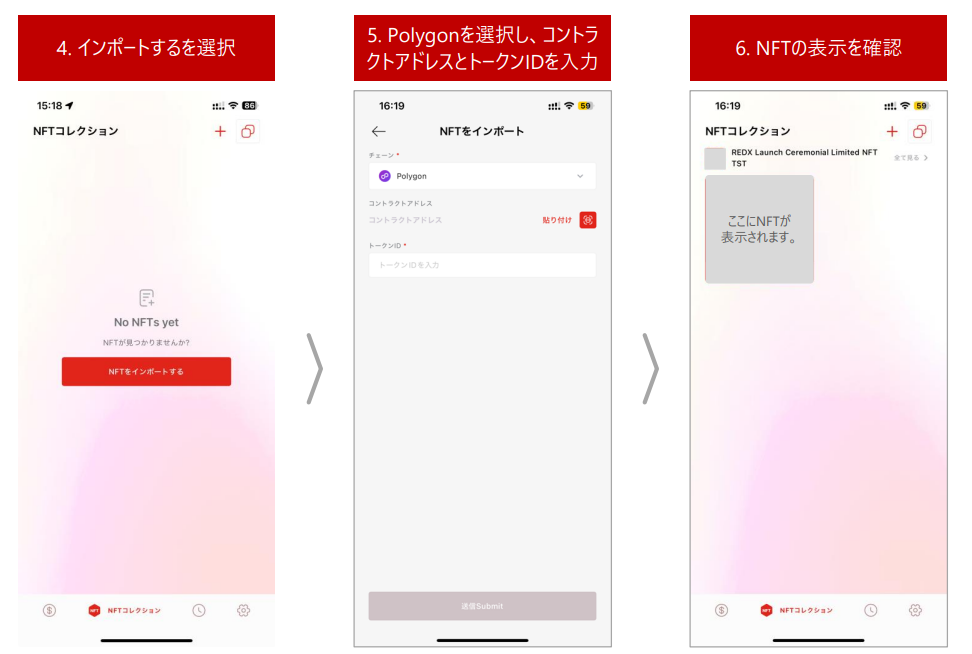
5. Confirm the receipt and display of your NFT
- You will receive an NFT transmission notification by e-mail in about 5 business days after submitting your NFT receipt information.
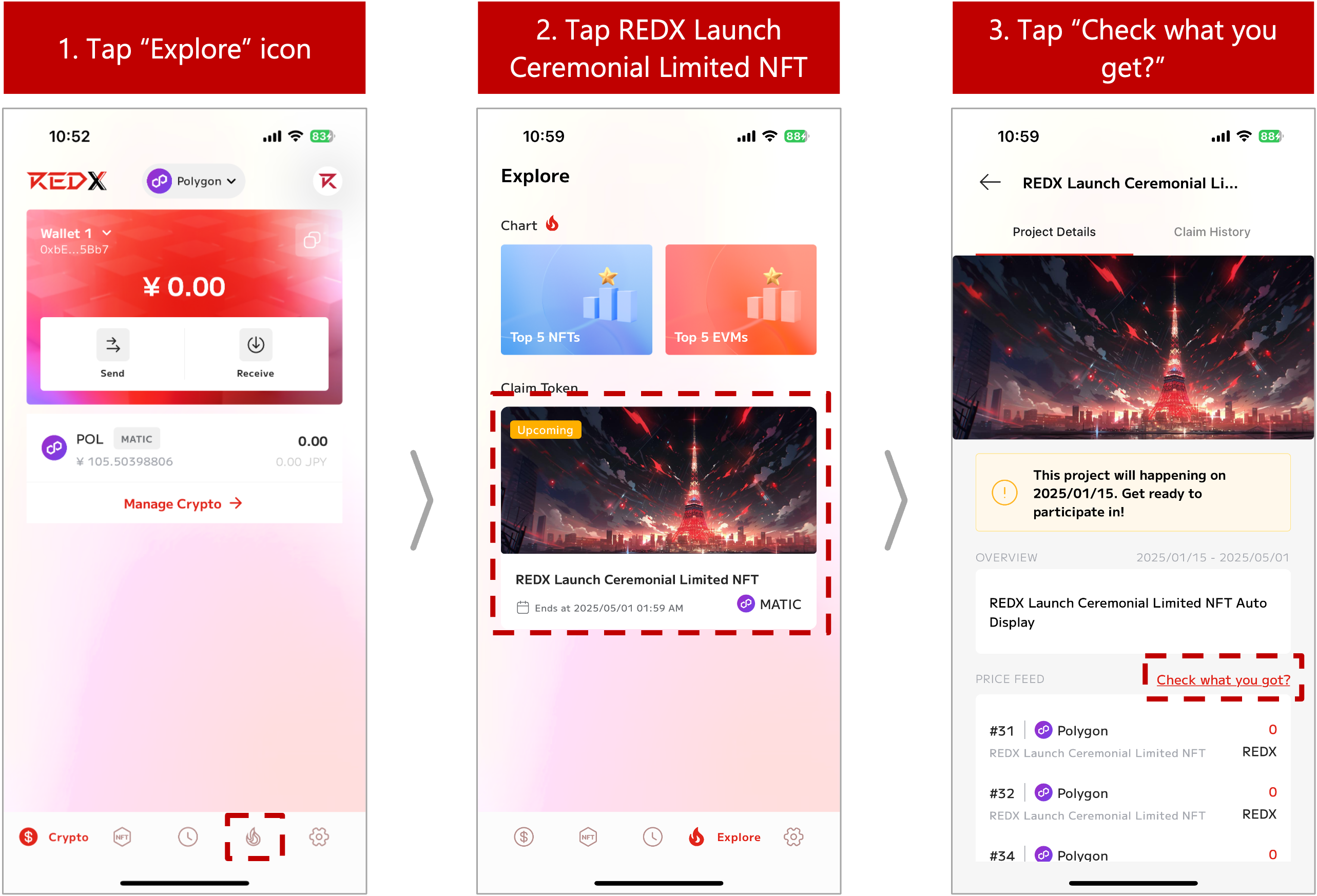
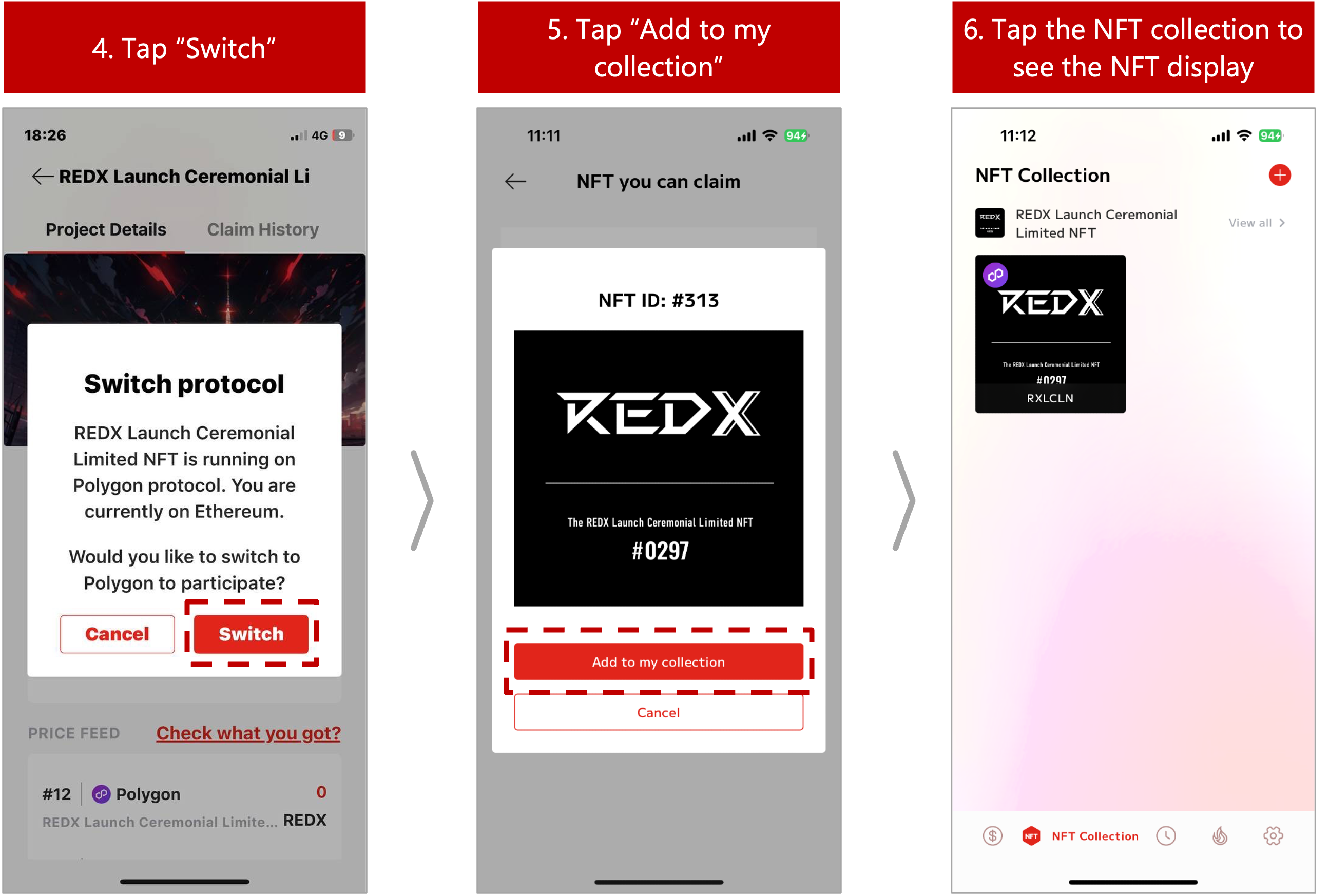
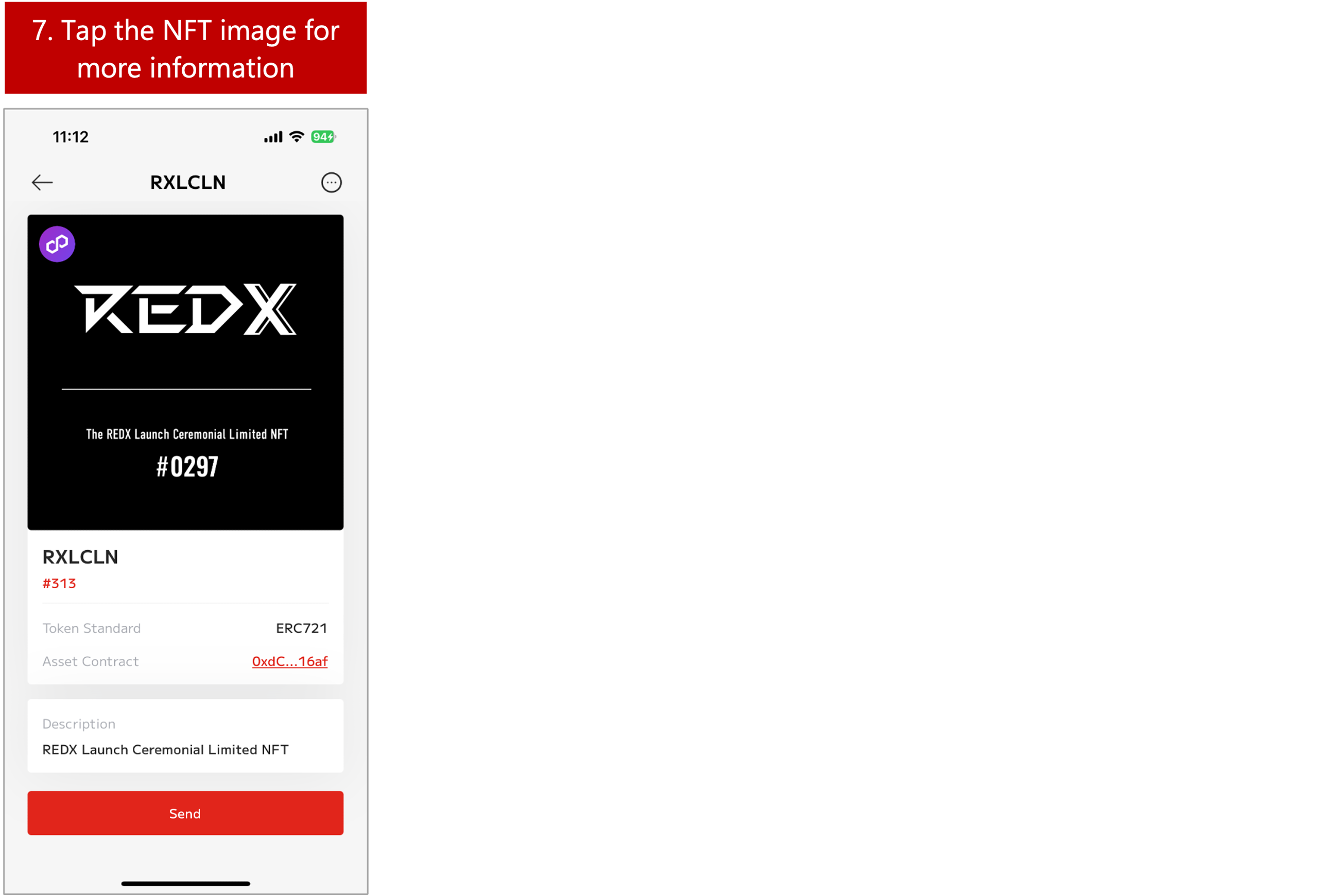
- After receiving the NFT notification, please follow the steps below to display the NFT.The NFT image in the screenshot is a sample.
* The design and serial number will vary depending on the amount and timing of your purchase.
* If the above steps do not display the desired result, please try the following steps.